
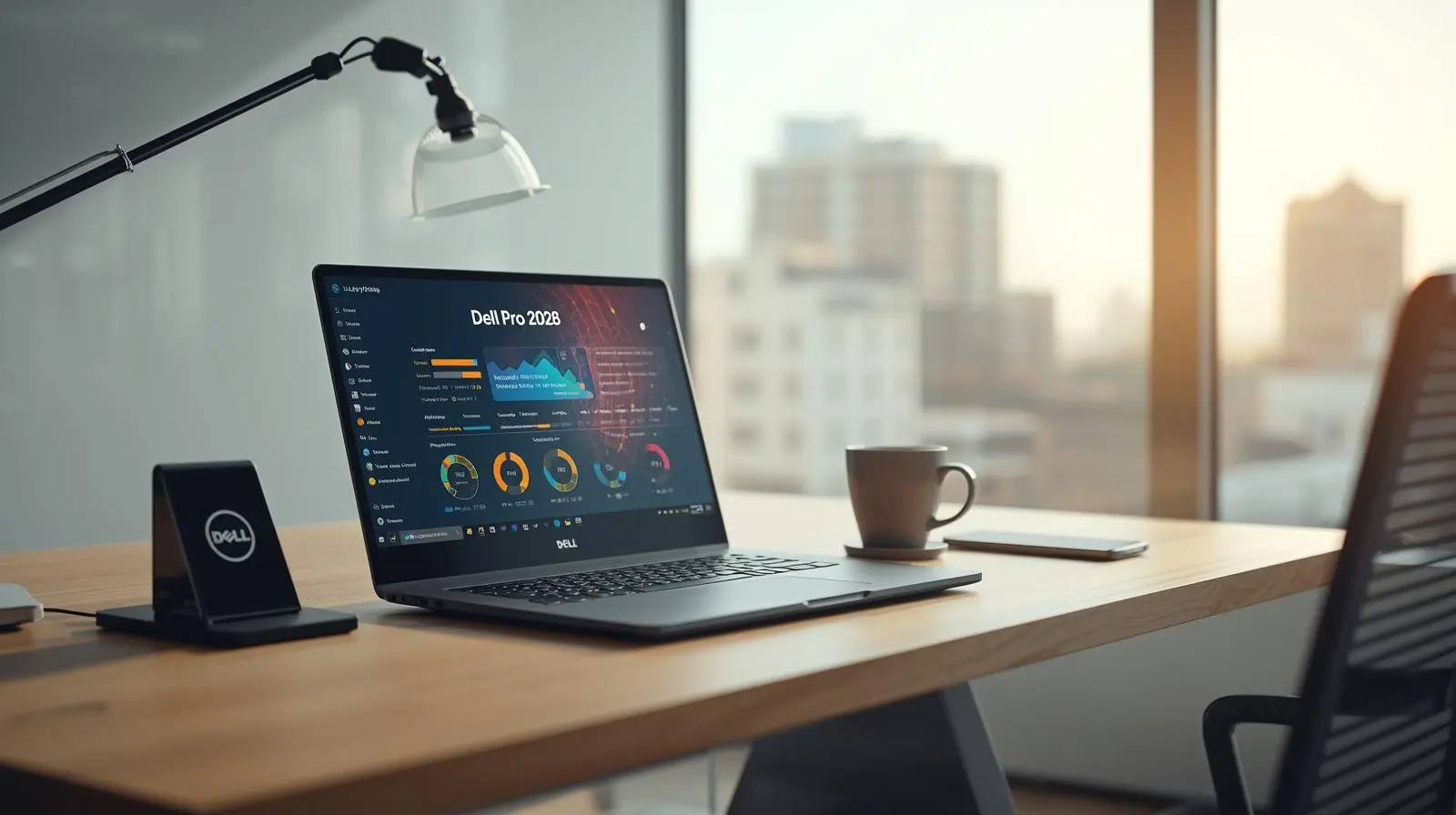
Best Budget Business Laptop 2026: Dell Latitude 3000 Series Review
Best Budget Business Laptop 2026: Why the Dell Latitude 3000 Series Still Wins
When searching for the best budget business laptop 2026, professionals and IT departments face a common dilemma: how to balance enterprise-grade reliability with cost constraints. While premium ultrabooks grab headlines, the Dell Latitude 3000 series continues to dominate the budget business segment for one simple reason—it delivers professional-grade durability, security, and performance without the premium price tag.
In this comprehensive Dell Latitude 3000 series professional review, we’ll examine why these enterprise-grade budget laptops 2026 remain the top choice for businesses seeking durable laptops for remote work under $1000. We’ll dive deep into the Dell Latitude 3340 (13-inch ultra-portable), Dell Latitude 3440 (the 14-inch fleet workhorse), and Dell Latitude 3540 (15-inch with numeric keypad), while exploring the latest 2025/2026 refreshes including the Dell Pro rebranding.
The Giant Slayer: How Dell Latitude 3000 Outperforms the Competition
The budget business laptop market in 2026 is crowded with contenders. Lenovo’s ThinkPad E14 Gen 6, HP’s ProBook 450 G11, ASUS ExpertBook P1, and Acer TravelMate P2 all compete for enterprise attention. Yet the Dell Latitude 3000 series consistently emerges victorious. Why?
MIL-STD 810H Military-Grade Durability: Not Just Marketing
While competitors mention durability, Dell actually tests the Latitude 3000 series against MIL-STD 810H military-grade durability standards. This isn’t vague “business rugged” marketing—it means the laptop has been tested for extreme temperatures (-20°C to 60°C), humidity, vibration, altitude, and shock resistance. For remote workers carrying laptops between home offices and cafes, or field technicians traveling to client sites, this translates to a device that survives real-world abuse.
Compare this to the Dell Latitude 3440 vs Lenovo ThinkPad E14 Gen 6: while the ThinkPad carries the legendary durability reputation, the E-series budget line doesn’t maintain the same military-grade testing as the T-series. The Dell Latitude 3540 vs HP ProBook 450 G11 comparison reveals similar findings—HP’s ProBook lacks the comprehensive environmental testing that Dell subjects the 3000 series to.
User-Serviceable Design: The Hidden Advantage
Here’s where the Dell Latitude 3000 series becomes a true giant slayer. While premium laptops trend toward soldered RAM and SSDs, the user-serviceable business laptop design of the 3000 series allows IT departments and cost-conscious businesses to upgrade memory and storage post-purchase. The Dell Latitude 3440 and 3540 models feature accessible RAM slots and M.2 NVMe SSD bays that don’t void warranties when upgraded.
This matters enormously for total cost of ownership. Purchase a base model with 8GB RAM and upgrade to 16GB RAM vs 32GB RAM for multitasking when needed, rather than paying Dell’s inflated configuration prices upfront. For companies managing 50+ laptop deployments, this flexibility saves thousands. The Latitude 3000 vs ASUS ExpertBook P1 series and Latitude 3000 vs Acer TravelMate P2 comparisons highlight this advantage—both competitors have moved toward sealed designs that eliminate upgrade paths.
Model Breakdown: Choosing Your Perfect Latitude 3000
Dell Latitude 3340 (13-inch): The Ultra-Portable Professional
The Dell Latitude 3340 targets the student-professional hybrid and consultants who prioritize portability. At approximately 1.3 kg (2.87 lbs), this ultra-portable delivers surprising battery longevity with the optional 4-cell 54Whr battery configuration. The 13.3-inch FHD display hits the sweet spot for professionals who split time between desks and mobile work.
Key Specifications:
• Display: 13.3″ FHD (1920×1080) anti-glare
• Weight: Starting at 1.3 kg
• Processor: Intel Core Ultra (13th Gen) or AMD Ryzen 7000 series
• Graphics: Intel Iris Xe graphics for professional software
• Battery: 3-cell 42Whr or 4-cell 54Whr with ExpressCharge 1.0
Best For: Consultants, field sales, students transitioning to professional roles, and anyone requiring maximum portability without sacrificing business features.
Dell Latitude 3440 (14-inch): The Standard Fleet Workhorse
The Dell Latitude 3440 represents the backbone of corporate deployments. This 14-inch model balances screen real estate with portability, making it ideal for standard office work, remote employees, and mixed-use scenarios. IT departments favor the 3440 for fleet standardization due to its broad compatibility with existing docking stations and accessories.
Key Specifications:
• Display: 14″ FHD (1920×1080) anti-glare, optional touch
• Weight: Starting at 1.45 kg (3.2 lbs)
• Processor: Intel Core Ultra 13th Gen business performance with NPU
• Storage: NVMe PCIe Gen4 SSD read/write speeds up to 3500/3000 MB/s
• Security: TPM 2.0 security business compliance, fingerprint reader, smart card reader (optional)
Best For: Corporate deployments, remote workers, general business users, and organizations prioritizing standardization across departments.
Why It Wins: The Dell Latitude 3440 hits the perfect intersection of price, performance, and serviceability. When comparing Dell Latitude vs Lenovo V15 G5 efficiency, the 3440’s Dell Optimizer AI-driven performance dynamically allocates system resources based on your workflow, extending battery life during light tasks and boosting performance when launching demanding applications.
💼 AVAILABLE NOW:
Looking for proven Dell Latitude performance at exceptional value? Check out the Dell Latitude 3410 (i5 10th Gen, 8GB RAM, 256GB SSD) – a battle-tested previous generation model offering enterprise reliability at budget-friendly pricing. Perfect for businesses expanding their fleet or professionals seeking proven performance.
Dell Latitude 3540 (15-inch): Large Screen, Numeric Keypad Excellence
The Dell Latitude 3540 serves accountants, data analysts, engineers, and professionals who prioritize screen real estate and numeric data entry. The full-size keyboard with dedicated numeric keypad eliminates the frustration of hunting for number keys or using the number row, dramatically accelerating financial work, spreadsheet management, and CAD applications.
Key Specifications:
• Display: 15.6″ FHD (1920×1080) anti-glare
• Weight: Starting at 1.77 kg (3.9 lbs)
• Keyboard: Full-size with numeric keypad
• Connectivity: USB-C 3.2 Gen 2 with DisplayPort and Power Delivery, RJ45 Ethernet port for secure office networks, HDMI 1.4b for dual monitor setups
• Wireless: Wi-Fi 6E (802.11ax) for future-proofed connectivity
Best For: Accountants, financial analysts, engineers, CAD users, data entry professionals, and desk-bound workers who rarely move their laptop.
Dell Latitude 3450 / 3550: The 2025/2026 Next-Gen Refresh
Dell’s Dell Latitude 3450 / 3550 next-gen 2025/2026 refreshes introduce incremental but meaningful improvements. These models incorporate Intel’s latest Neural Processing Unit (NPU) technology, positioning them as early-stage AI PCs capable of running on-device machine learning workloads without cloud dependency.
Key Updates:
• Intel Core Ultra (2nd Gen) processors with enhanced NPU performance
• Wi-Fi 7 (802.11be) support for multi-gigabit wireless speeds
• Improved Dell Optimizer 3.0 with AI-driven audio enhancement and application prioritization
• Extended battery life through more efficient power management
• Potential Dell Pro rebranding (targeting the shift from Latitude 3000 to Dell Pro 3 series)
Performance Deep Dive: Specifications That Matter
Intel Core Ultra 13th Gen Business Performance: Beyond the Benchmarks
The Intel Core Ultra 13th Gen business performance in the Latitude 3000 series deserves special attention. Unlike consumer-focused processors, these chips prioritize sustained performance over peak burst speeds, thermal efficiency over maximum clock rates, and enterprise features like Intel vPro remote management.
Real-World Performance Scenarios:
• Microsoft Teams video calls with simultaneous document editing: The integrated Intel Iris Xe graphics for professional software handles video encoding efficiently, keeping CPU utilization low and battery life high.
• Large Excel spreadsheets (100,000+ rows): With 16GB RAM configuration, the Latitude 3440 handles complex financial models without the stuttering common in 8GB systems.
• Multi-tab browser workflows: Opening 30+ browser tabs across Chrome or Edge doesn’t trigger the thermal throttling or fan noise found in cheaper alternatives.
16GB RAM vs 32GB RAM for Multitasking: The Sweet Spot
The 16GB RAM vs 32GB RAM for multitasking debate often confuses buyers. For 90% of business users, 16GB represents the optimal balance. This capacity comfortably handles:
• Microsoft Office suite with multiple documents open simultaneously
• Web browsing with 20-30 active tabs
• Video conferencing applications running in the background
• Light photo editing or PDF manipulation
• Multiple business applications (CRM, project management, email)
When to Choose 32GB: Virtual machine users, developers running local environments, data scientists working with large datasets, video editors, and CAD professionals need 32GB. For everyone else, 16GB saves money while delivering smooth performance.
Storage: NVMe PCIe Gen4 SSD Read/Write Speeds That Matter
The NVMe PCIe Gen4 SSD read/write speeds in the Latitude 3000 series deliver noticeable real-world improvements over older SATA SSDs. With sequential read speeds reaching 3,500 MB/s and writes hitting 3,000 MB/s, these drives slash boot times, application launches, and file transfers.
Practical Impact:
• Cold boot to usable desktop: 8-12 seconds
• Microsoft Office suite launch: 2-3 seconds
• 10GB file transfer (internal): 3-4 seconds
• Windows updates: Significantly faster installation and restart
Battery Life and Charging: All-Day Productivity
Long-Life 3-Cell 42Whr vs 4-Cell 54Whr Batteries
The long-life 3-cell 42Whr vs 4-cell 54Whr batteries decision impacts both portability and runtime. The 3-cell configuration reduces weight by approximately 150 grams while delivering 6-8 hours of mixed-use productivity. The 4-cell battery extends this to 9-12 hours, crucial for all-day remote work without access to power outlets.
Real-World Battery Performance (4-cell configuration):
• Office productivity (Word, Excel, email): 10-11 hours
• Web browsing (Wi-Fi): 8-9 hours
• Video conferencing (Teams/Zoom): 5-6 hours
• Mixed workload: 7-9 hours
ExpressCharge 1.0: 80% Charge in 60 Minutes
Dell’s ExpressCharge 1.0 (80% charge in 60 mins) technology transforms battery anxiety into a non-issue. Unlike standard charging that takes 2-3 hours for full capacity, ExpressCharge rapidly fills the battery to 80% in just one hour, then switches to slower charging to preserve long-term battery health.
Practical Benefit: Arrive at a coffee shop at 20% battery, work for 60 minutes while charging, and leave with 80% capacity—enough for 6+ hours of additional work. This eliminates the need to camp near power outlets during mobile workdays.
Connectivity and Office Integration
USB-C 3.2 Gen 2 with DisplayPort and Power Delivery
The USB-C 3.2 Gen 2 with DisplayPort and Power Delivery port on the Latitude 3000 series enables single-cable docking solutions. Connect one USB-C cable to your Dell WD19S docking station compatibility setup, and instantly access dual 4K monitors, Gigabit Ethernet, USB peripherals, and laptop charging—all through one connection.
Port Specifications:
• Data transfer: Up to 10 Gbps (20x faster than USB 2.0)
• Video output: DisplayPort 1.4 supporting 4K@60Hz
• Power delivery: Up to 65W laptop charging
HDMI 1.4b for Dual Monitor Setups and RJ45 Ethernet
While newer laptops eliminate traditional ports, the Latitude 3000 series maintains both HDMI 1.4b for dual monitor setups and a dedicated RJ45 Ethernet port for secure office networks. IT departments appreciate not needing dongles for basic connectivity, reducing support tickets and simplifying deployments.
The HDMI port supports 4K@30Hz output, perfect for connecting to conference room displays or secondary monitors without adapters. The Gigabit Ethernet port ensures reliable, secure connectivity in office environments where wireless networks may be congested or restricted.
Wi-Fi 6E vs Wi-Fi 7 in Budget Laptops
The Wi-Fi 6E vs Wi-Fi 7 in budget laptops debate affects the Latitude 3000 series. Current 2026 models ship with Wi-Fi 6E (802.11ax), offering access to the less-congested 6GHz band for faster, more reliable wireless performance in dense office environments.
Should you wait for Wi-Fi 7? Probably not. Wi-Fi 7’s multi-link operation and 46 Gbps theoretical speeds benefit gaming and content creation more than business productivity. Wi-Fi 6E already delivers 1-2 Gbps real-world speeds—far exceeding most internet connections and local network needs. For business laptops, Wi-Fi 6E represents mature, stable technology with broad router compatibility.
Enterprise Security and Management
TPM 2.0 Security Business Compliance
Every Dell Latitude 3000 series laptop includes TPM 2.0 security business compliance as standard equipment. The Trusted Platform Module 2.0 chip provides hardware-based encryption key storage, making it virtually impossible for attackers to extract BitLocker encryption keys even with physical access to the device.
Security Features Beyond TPM:
• Fingerprint reader (optional): Biometric authentication faster than passwords
• Smart card reader (optional): PIV/CAC card support for government and regulated industries
• Wedge-shaped lock slot for office security: Physical theft deterrence via Kensington locks
• BIOS-level security controls: Password protection, boot order locks, and pre-boot authentication
Dell Optimizer AI-Driven Performance
Dell Optimizer AI-driven performance represents one of the Latitude 3000 series’ most underrated features. This software suite uses machine learning to adapt the laptop to your work patterns:
ExpressResponse: Learns which applications you use most frequently and pre-loads them into memory for instant launch.
ExpressCharge Boost: Analyzes your charging patterns and adjusts charging speeds to maximize battery longevity.
Intelligent Audio: Automatically adjusts microphone and speaker settings based on your environment—suppressing background noise in cafes, enhancing clarity in quiet offices.
Network Optimization: Prioritizes video conferencing traffic over background downloads during Teams or Zoom calls.
💡 BUDGET-FRIENDLY OPTION:
For businesses requiring fleet expansion without breaking the budget, explore the Dell Latitude 3400 (Core i5 8th Gen, 8GB, 256GB SSD, FHD 14-inch). This certified used model delivers authentic Dell Latitude business quality with the same rugged build, enterprise security features, and legendary reliability—perfect for cost-conscious organizations.
Dell Latitude 3000 vs 5000 Series Comparison
The Dell Latitude 3000 vs 5000 series comparison highlights where budget compromises occur and where they don’t. Understanding these differences helps buyers determine if the 5000 series premium justifies its higher cost.
Build Quality: The 5000 series features aluminum chassis panels compared to the 3000 series’ reinforced plastic. Both pass MIL-STD 810H testing, but the 5000 feels more premium. For fleet deployments, this difference rarely matters.
Display Options: The 5000 series offers higher-end panel options including QHD+ (2560×1600) and touchscreens with Corning Gorilla Glass. The 3000 series maxes out at FHD (1920×1080), sufficient for 95% of business users.
Processor Tiers: The 5000 series accesses higher-tier Intel Core Ultra processors (H-series with 45W+ TDP) for demanding workloads. The 3000 series uses U-series (15-28W TDP), optimized for efficiency over raw power. Unless running heavy simulations or CAD, you won’t notice the difference.
Keyboard and Trackpad: The 5000 series keyboard offers slightly better key travel and a larger precision touchpad. Both are serviceable for full-time work, but the 5000 series provides a noticeably better typing experience during marathon document sessions.
Price Premium: The 5000 series typically costs $300-500 more than equivalent 3000 series configurations. For 100-laptop deployments, that’s $30,000-50,000 in additional budget—often better spent on extended warranties, docking stations, or accessories.
Verdict: Choose the 5000 series if you’re equipping executives, designers, or power users who interact with clients regularly and benefit from premium aesthetics. Choose the 3000 series for everyone else—the functional differences don’t justify the premium for standard business use.
The Dell Pro Rebranding: What It Means
Dell’s potential Dell Pro rebranding signals a shift from Latitude 3000 to Dell Pro 3 series naming. Early 2026 models may appear under both badges as Dell transitions its commercial lineup.
Why Rebrand? Dell aims to simplify its commercial portfolio. The “Latitude” brand carries 30+ years of business laptop heritage, but it also confuses buyers with overlapping 3000/5000/7000/9000 series tiers. “Dell Pro” creates clearer segmentation:
• Dell Pro 3: Budget-conscious business (current Latitude 3000)
• Dell Pro 5: Mainstream business (current Latitude 5000)
• Dell Pro 7: Premium business (current Latitude 7000)
What Stays the Same: Despite naming changes, the underlying DNA remains unchanged. Dell Pro 3 laptops will continue offering user-serviceable designs, MIL-STD 810H durability, TPM 2.0 security, and budget-friendly pricing. Existing Latitude accessories, docking stations, and management tools remain compatible.
Who Should Buy the Dell Latitude 3000 Series?
Perfect For:
• Small and medium businesses managing 10-500 laptop deployments
• Remote workers requiring reliable, all-day battery life
• Educational institutions equipping students and faculty
• Government agencies prioritizing security compliance and budget constraints
• Field technicians and mobile professionals needing durable, portable machines
• Accountants and data professionals requiring numeric keypads (3540 model)
• IT departments wanting user-serviceable, standardized hardware
Not Ideal For:
• Content creators requiring powerful discrete graphics (consider Dell Precision)
• Professionals prioritizing ultra-thin designs and premium aesthetics (consider Latitude 9000 or XPS)
• Users requiring maximum performance for CAD, engineering simulations, or video editing
• Anyone who rarely leaves their desk and could use a desktop instead
Conclusion: The Latitude 3000 Series Continues to Deliver
In the crowded landscape of enterprise-grade budget laptops 2026, the Dell Latitude 3000 series maintains its position as the best budget business laptop 2026 through a combination of factors competitors struggle to match simultaneously:
The MIL-STD 810H military-grade durability ensures these laptops survive real-world abuse. The user-serviceable design reduces total cost of ownership and extends useful life beyond competitors’ sealed alternatives. Intel Core Ultra 13th Gen business performance with NPU capabilities positions these machines as forward-looking AI PC investments rather than disposable commodity hardware.
Whether you choose the ultra-portable Dell Latitude 3340, the versatile fleet workhorse Dell Latitude 3440, or the productivity-focused Dell Latitude 3540 with numeric keypad, you’re investing in a platform designed for the long haul. The upcoming Dell Latitude 3450 / 3550 next-gen 2025/2026 refreshes and potential Dell Pro rebranding signal Dell’s continued commitment to this market segment.
For businesses seeking durable laptops for remote work under $1000 that don’t compromise on essential features like TPM 2.0 security business compliance, comprehensive connectivity including USB-C 3.2 Gen 2 with DisplayPort and Power Delivery, and all-day battery life enabled by ExpressCharge 1.0 technology, the Dell Latitude 3000 series remains the definitive choice.
The laptop market will continue evolving, but the fundamental business laptop requirements—reliability, serviceability, security, and value—never change. The Dell Latitude 3000 series masters these fundamentals better than any competitor, which is precisely why it still wins in 2026.
Ready to equip your team with proven business laptop excellence?
Explore certified Dell Latitude business laptops at LaptopsCity.com:
• Dell Latitude 3410 (i5 10th Gen, 8GB RAM, 256GB SSD)
• Dell Latitude 3400 (Core i5 8th Gen, 8GB, 256GB SSD, FHD 14-inch)
Each model delivers the authentic Dell Latitude business experience with rugged construction, enterprise security, and exceptional value for growing organizations.


